Python 读取串口数据,动态绘图的示例 最近工作需要把单片机读取的传感器电压数据实时在PC上通过曲线显示出来,刚好在看python, 就试着用了python 与uart端口通讯,并且通过matplotlib.pyplot 模块实时绘制图形出来。 1. 废话少说,上图 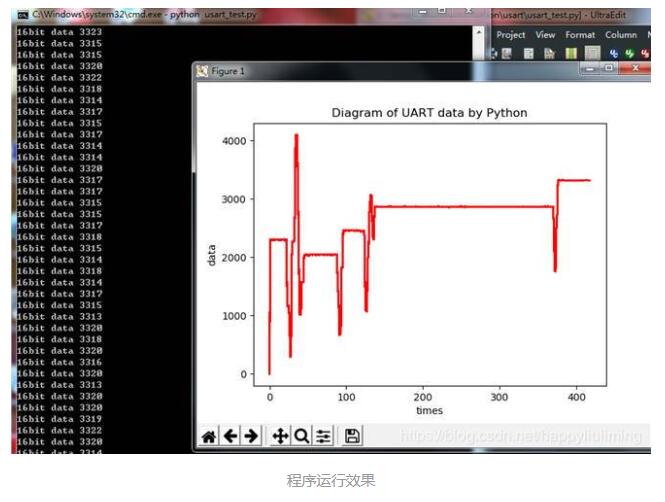 因为没有UI,运行时需要在提示符下输入串口相关参数,com端口,波特率... 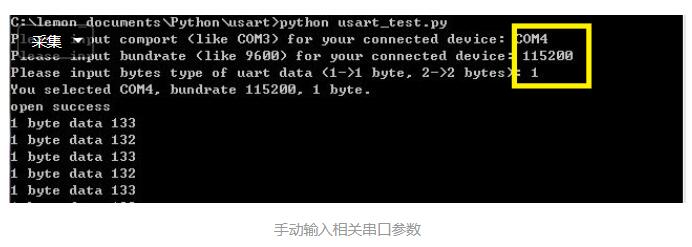 代码如下: | 1 2 3 4 5 6 7 8 9 10 11 12 13 14 15 16 17 18 19 20 21 22 23 24 25 26 27 28 29 30 31 32 33 34 35 36 37 38 39 40 41 42 43 44 45 46 47 48 49 50 51 52 53 54 55 56 57 58 59 | import serial import matplotlib.pyplot as plt import numpy as np import time import re comport = input('Please input comport (like COM3) for your connected device: ') baudrate = input('Please input baudrate (like 9600) for your connected device: ') bytes = input('Please input bytes type of uart data (1->1 byte, 2->2 bytes): ') bytes = int(bytes) print('You selected %s, baudrate %d, %d byte.' % (comport, int(baudrate), bytes)) serialport = serial.Serial(comport, int(baudrate), timeout=1, parity=serial.PARITY_EVEN, rtscts=1) if serialport.isOpen(): print("open success") else: print("open failed") plt.grid(True) plt.ion() plt.figure(1) plt.xlabel('times') plt.ylabel('data') plt.title('Diagram of UART data by Python') t = [0] m = [0] i = 0 intdata = 0 data = '' count = 0 while True: if i > 300: t = [0] m = [0] i = 0 plt.cla() count = serialport.inWaiting() if count > 0 : if (bytes == 1): data = serialport.read(1) elif (bytes == 2): data = serialport.read(2) if data !='': intdata = int.from_bytes(data, byteorder='big', signed = False) print('%d byte data %d' % (bytes, intdata)) i = i+1 t.append(i) m.append(intdata) plt.plot(t, m, '-r') plt.draw() plt.pause(0.002) | 目前功能比较简单,但是发现一个问题,但单片机送出数据速度很快时, python plot 绘图会明显卡顿。 为解决此问题,已经用C# 重新做了个winform UI, 使用chart控件来绘图。 以上这篇Python 读取串口数据,动态绘图的示例就是小编分享给大家的全部内容了,希望能给大家一个参考,也希望大家多多支持脚本之家。
|